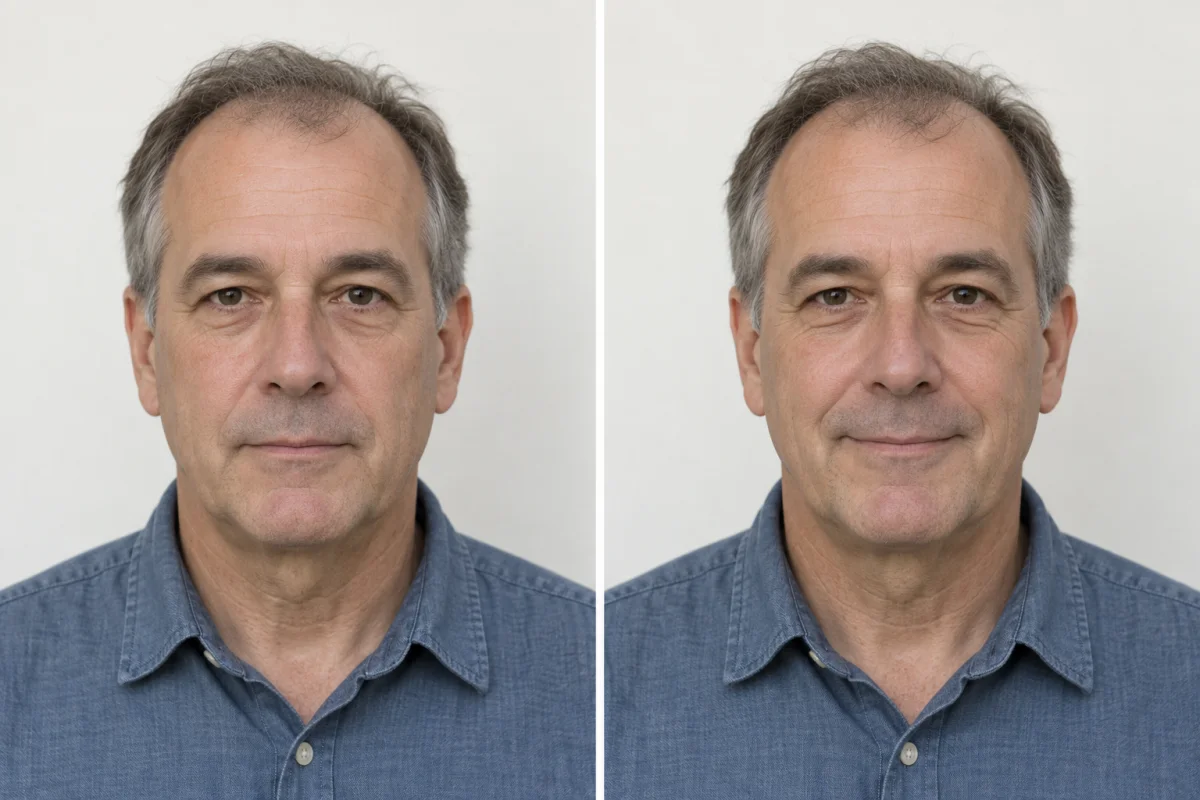
A neutral expression is the simplest choice.
For a US paper passport photo, the State Department’s detailed pose guidance allows a smile with the mouth closed and eyes open. Its opening checklist asks for a neutral expression. A relaxed neutral face follows the more conservative instruction and is easy to reproduce.
That does not mean pressing your lips tightly together or making an exaggerated serious face. Let your mouth rest naturally, keep your head level, and look straight at the camera. The aim is a clear, recognizable view of your face.
Read the State Department’s pose and expression guidance. These examples illustrate expressions; they do not certify that a whole photo will be accepted.
Small changes make a difference.
Relaxed, closed mouth.
Pause, breathe normally, and let your face settle. Keep both eyes open and look into the lens. You do not need to smile for the camera.
No broad grin or open mouth.
A big smile can show teeth, narrow the eyes, or change your pose. Retake if the expression is exaggerated or the eyes are no longer clearly open.
Take a few photos a moment apart. Compare them for a level head, visible eyes, and a relaxed mouth. Pick the clearest natural expression, rather than the one that looks most flattering as a social portrait.
Should I edit the smile afterward?
No. Do not use a face filter or editing tool to close the mouth, change the expression, or redraw facial features. Retake the image. The official guidance on digital changes asks for an original, unchanged photo.
What about online passport renewal?
The online-renewal instructions say to face the camera directly with both eyes open and visible, and avoid showing teeth. Use a relaxed closed-mouth expression and follow the current portal instructions for the complete image.
Keep your original camera file. The renewal portal has its own positioning and upload process; a FormFitPhoto print sheet is not the upload file for online renewal. See the official online-renewal photo instructions.
Does this apply to visas or other countries?
This guide is about US passport photos. Do not transfer its smile advice to another country or a visa application without checking that application’s official rules. Similar photo sizes do not mean identical expression requirements.
If the expression looks forced, reset.
Take a short pause.
Look away from the camera and relax your shoulders. Then return to the lens without tilting your head.
Check the light.
If you are squinting, the light may be uncomfortable or too direct. Adjust the setup before taking more photos.
Use a helper or timer.
Give yourself time to settle instead of stretching an arm toward the shutter. Keep the camera steady and at eye level.
Expression is only one part of the photo. A relaxed face does not correct a shadow, blur, or a bad crop. Follow the phone setup guide and then review head size and framing.
By FormFitPhoto · Reviewed October 7, 2026. Independent guidance, not government approval. How we write and check our guides.