Which file should you download?
| File | Use it for | Check before printing |
|---|---|---|
| 4×6 sheet JPEG | A photo kiosk or online print service | Order a 4×6 print. Keep the entire sheet visible; avoid automatic cropping. |
| 4×6 sheet PDF | A home printer or service that accepts PDFs | Select 4×6 paper and actual size / 100%. Disable fit-to-page. |
| Single-photo JPEG | An application requesting a square digital photo | This is not a print sheet. Do not enlarge it to fill a 4×6 print. |
Create your free passport photo print sheet, or check how head size should fit inside the square before exporting.
Check the source before you continue. See examples of shadows, tight crops, and blur that call for a new photo.
First, create your 4×6 passport photo sheet.
If you still need a source image, start with our guide to taking a passport photo with your phone.
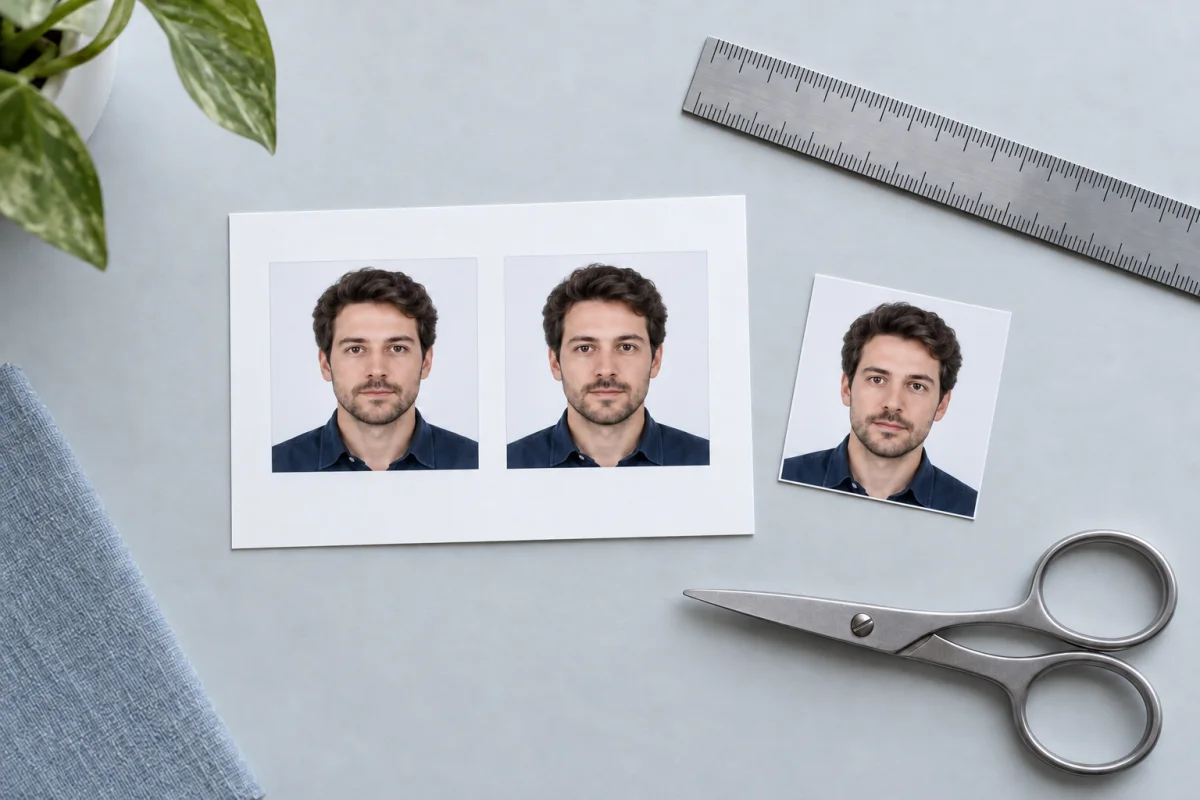
A square image and a correctly sized print are two different things. FormFitPhoto places your cropped image onto a PDF with a fixed 4×6-inch page. The layout leaves room for two photos, cut marks, and a reference ruler.
Check the original photo
Open the checker, choose US passport, and select your photo. Review every warning before downloading.
Download the print sheet
Choose the PDF for home printing, or “Download kiosk sheet” for a photo service. “Single photo · JPEG” is a separate square image.
Keep the scale intact.
Printing at home
Use 4×6 photo paper and choose actual size or 100% scale. Disable fit-to-page and borderless expansion. Print one test sheet before making more.
Using a print service
Upload the 4×6 sheet JPEG and order one 4×6 print. Disable automatic cropping or enhancement where possible. Check the preview shows the whole sheet, including the ruler; measure the finished print before using it.
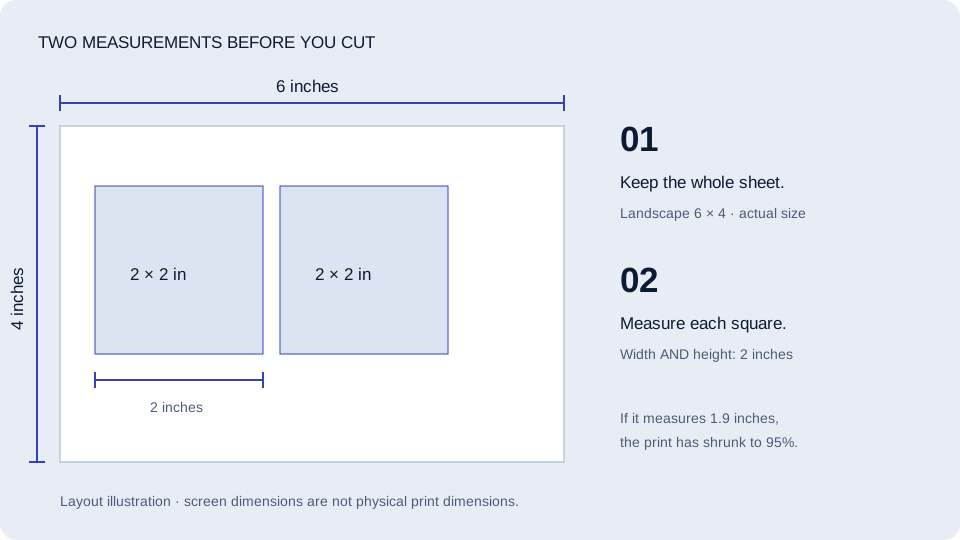
The final check is physical. Measure the reference ruler and both sides of each photo on the print. Each photo should be 2 inches square. Screen size cannot tell you the printed size.
Measure. Then cut.
Cut along the marks with a clean edge. Keep the photograph free of folds or marks and compare it with the official examples before submitting.
Why did my photo print too small?
The print dialog may have added margins or scaled the PDF to fit. Check the paper size and scale setting, then make another test print.
Can I use ordinary printer paper?
Use matte or glossy photo-quality paper for a US passport application.
Is this for online renewal?
No. A print sheet is for a paper application. Follow the online renewal portal’s instructions for uploading your original digital photo.
Your final print checklist
Check the whole sheet
The downloaded kiosk JPEG is 1800×1200 pixels. The PDF page is 6×4 inches. Choose a landscape 6×4 print and keep the entire sheet visible in the preview.
Measure both directions
Each finished photo should be 2 inches wide and 2 inches tall. Measure the image edges, not the outside of the surrounding sheet.
Check the result in good light
Look for blur, streaks, color shifts, shadows, and damage. A correct file cannot prevent a printer or service from changing the result.
If the square measures 1.9 inches: that is 95% of its intended size. Check for fit-to-page scaling or added margins and reprint at actual size. Do not stretch the face to compensate.
This is a measurement example, not a claim that a particular printer or photo service has been tested. Printing prices and service settings vary.
By FormFitPhoto · Reviewed October 7, 2026. Requirements reference: US Department of State. For online renewal, follow the digital-photo instructions. This independent guide is not government approval. How we write and check these guides.